
Queries FAQ
Common questions about data queries in StudyTrax.
What are queries?
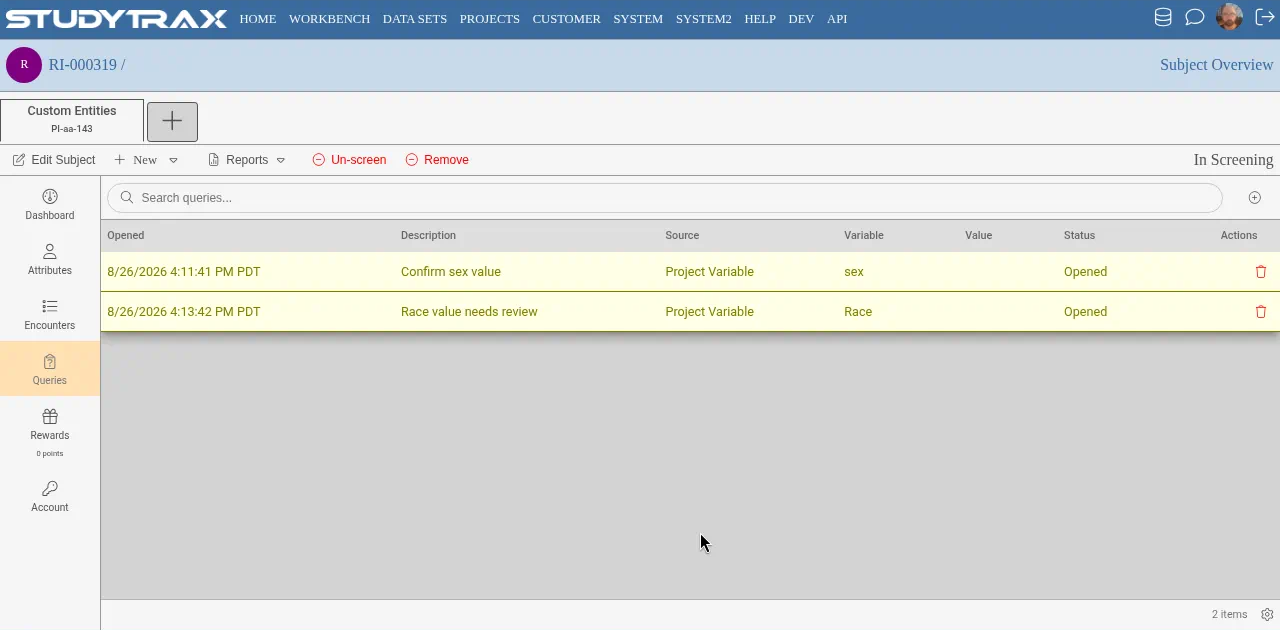
Queries track data issues that need attention—missing values, inconsistencies, or items flagged for review. They appear on the subject or encounter where the issue was found.
Who can work with queries?
| Role | Can do |
|---|---|
| Query Management | Create, view, modify, and manage queries |
| Subject Management | View and modify queries (cannot create, delete, close, or open) |
| Subject Management read-only | View queries only |
Monitors often have Subject Management read-only so they can review data and queries without editing.
How do I create a query?
You need Query Management. The exact click-path depends on your project configuration—open a subject or encounter and look for the query action (confirm in app).
How do I respond to a query?
Staff with Subject Management or higher can add notes or update the data that the query flagged. Open the query from the subject or encounter to see available actions (confirm in app).
How do I close a query?
You need Query Management to close (resolve) a query. The workflow and status labels depend on your project (confirm in app).
Related
- Queries how-to
- Add user how-to (to grant Query Management)