
Queries
Queries track data issues that need attention—missing values, inconsistencies, or items flagged for review.
Sign in at: https://my.studytrax.com
Queries move through three statuses: Unresolved (created by Query Management), Resolved (responded to by Subject Management), and Closed (finalized by Query Management).
Query roles
| Role | Create | Resolve (respond) | Close |
|---|---|---|---|
| Query Management | Yes | Yes | Yes |
| Subject Management | No | Yes | No |
All query roles are site-scoped. Monitors often have Subject Management read-only so they can review data and queries without editing.
Query workflow
- Unresolved — Query is created, needs response.
- Resolved — Response provided, awaiting review.
- Closed — Query is complete.
Working with queries
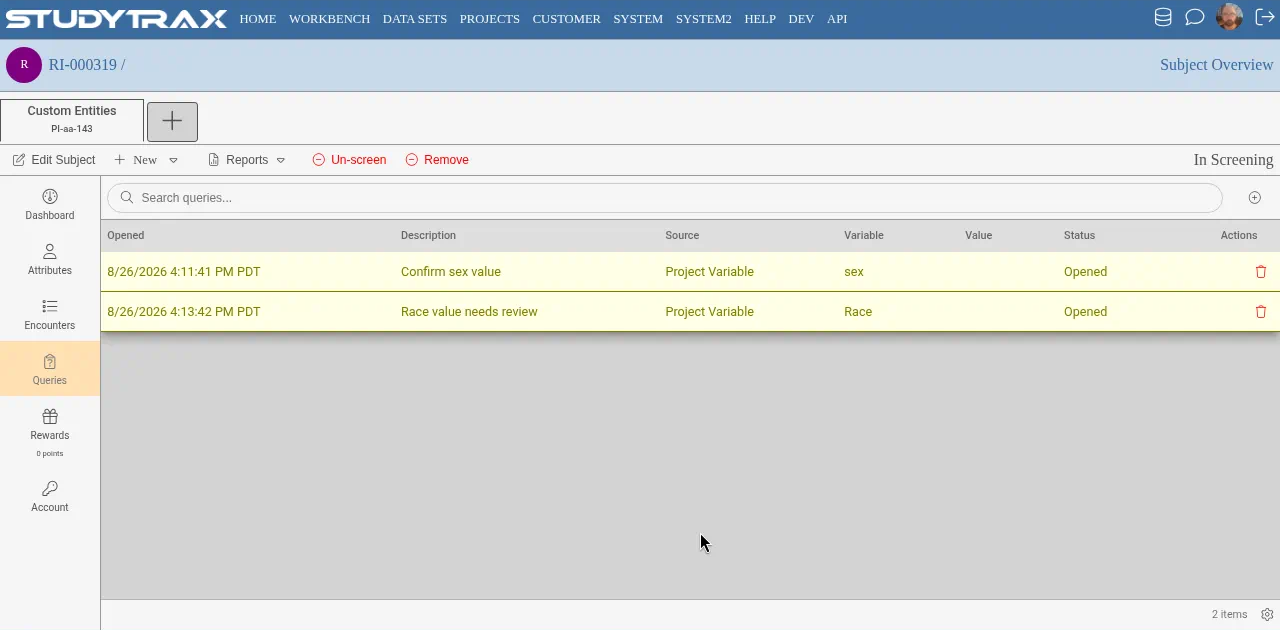
From a subject or encounter, open the query to see available actions based on your role:
- Create a query (Query Management) — flag a data issue
- Respond to a query (Subject Management) — add a note or update data
- Close a query (Query Management) — mark the issue handled
Notifications
Configure query notifications at Project Overview → Notifications. Two notifications are typical: one for project variables, one for encounter variables. Notifications are site-scoped.
Deleted queries do not trigger email notifications.
Query tags
Tags can include Reference ID, Project ID, and Encounter Date. Variable values cannot be included unless that value triggered the query. Multiple queries cannot share a single email.
Importing queries
Query import creates new queries only. Open and resolved queries update existing records, but importing a closed query creates a new query.
Data Sets can ignore values with open queries. There is no bulk "resolve all" function.
See Queries how-to for detailed workflows. See Add a staff user to grant Query Management or Subject Management roles.