
Due Dates and Encounter Scheduling
Understand how due dates work for encounters and how to manage scheduling.
Role required: Subject Management or Project Management
Visit windows are retired—StudyTRAX uses due dates instead of separate visit window ranges.
How due dates work
Each interval can have a due date based on:
| Scheduling type | Due date calculation |
|---|---|
| Unscheduled | Offset from the baseline encounter |
| Scheduled | The scheduled date set by staff or participant |
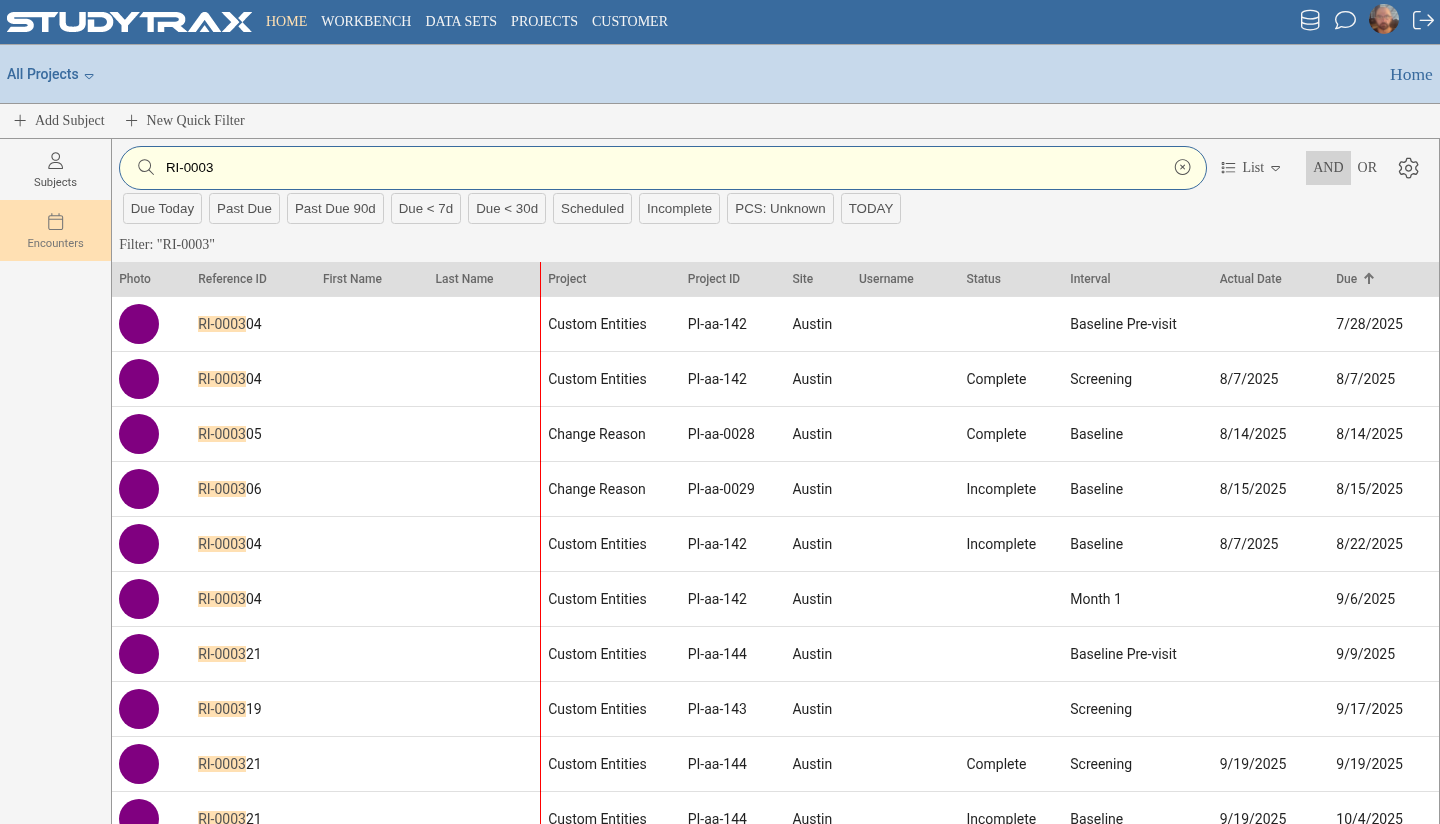
There is no separate "visit window" feature. The due date is the date.
Past-due encounters
An encounter can still be entered after its due date passes. Past-due visits are not locked.
Stopping due notifications
Creating an encounter—even an empty one—tells the system the encounter has occurred.
- Once the encounter exists, due notifications stop.
- This is intentional: the encounter is "started" even if data entry is not complete.
If a coordinator creates an encounter by mistake, they can delete it (if allowed) to restore due notifications.
Subject can edit until override
Portal forms remain editable by the participant until staff applies an override.
- The encounter pencil icon (or edit lock) keeps a portal form available for participant edits.
- Once staff locks the encounter, the participant can no longer edit.
Encounters tab views
The Encounters tab offers two views:
| View | Purpose |
|---|---|
| List | Sortable table of encounters with dates and statuses |
| Calendar | Visual calendar showing scheduled, due, and completed encounters |
Encounter groups
Encounter groups on the Dashboard and encounter groups on the Encounters tab are configured separately. Changing one does not affect the other.
Same-day screening pattern
When a subject might complete pre-screening and screening on the same day:
- Configure the child interval (e.g., Screening) to target one day after the parent (e.g., Pre-Screen).
- This prevents the system from assuming both occur on the same day.
- Staff can still enter both on the same day if needed.
Related
- Enter an encounter — create and complete encounters
- Schedule status — view and update scheduling
- Intervals in depth — due date offsets and triggers