
Intervals in Depth
Advanced interval configuration—triggers, expressions, encounter count, and scheduling rules.
Role required: Project Management
Encounter Count
| Encounter Count | Fixed interval | Non-fixed interval |
|---|---|---|
| 0 | Not applicable | No limit on repeats |
| 1 | Single occurrence | Single occurrence |
| > 1 | N/A | Repeat count; Repeat Days field appears |
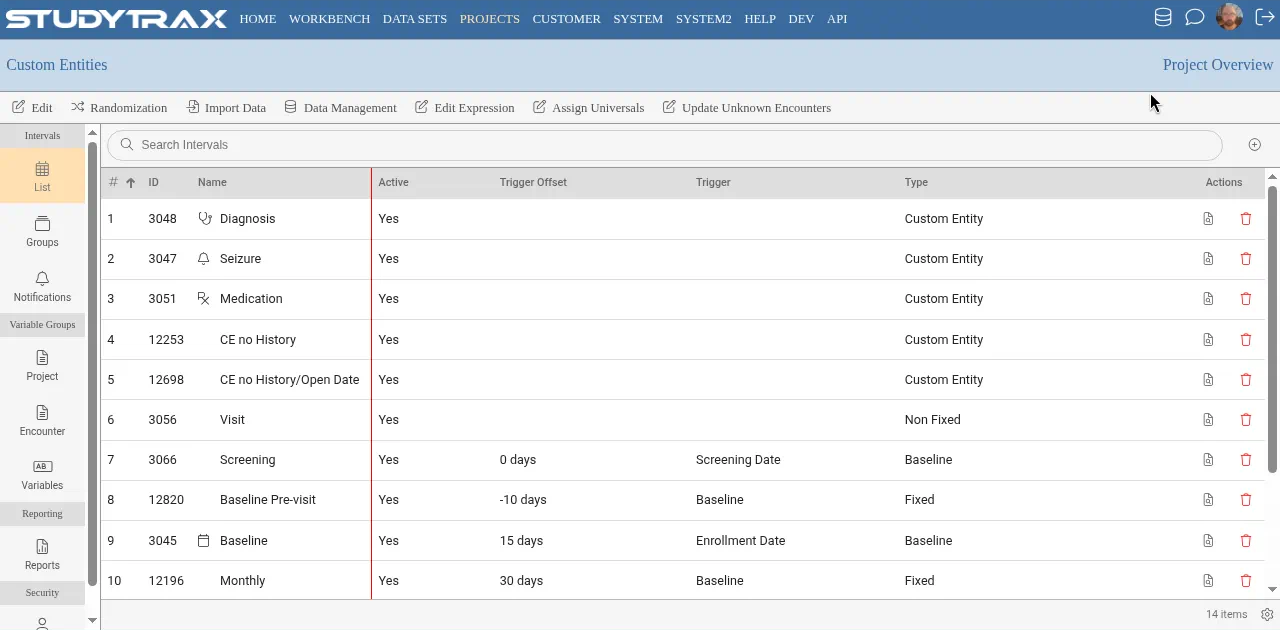
If Encounter Count is not 1, the Repeat Days field determines the spacing between repeating encounters.
Trigger Event
The trigger event determines when an interval becomes available on the Dashboard.
| Setting | Behavior |
|---|---|
| Enrollment Date | Appears when subject is enrolled |
| Another interval | Appears after parent interval occurs |
| Not Triggered | Does not appear automatically |
Baseline not triggered: If baseline is set to "Not Triggered," it is hidden on the Dashboard until explicitly triggered (often by enrollment or a workflow rule). Trigger baseline if it must appear.
Screening interval triggers
- An ADE (adverse-event data entry) interval cannot be triggered.
- ADE on a screening interval: set trigger event to "Not Triggered."
- For a subject to create any interval themselves, the trigger event cannot be "Not Triggered."
- A screening interval cannot trigger from another screening interval unless the parent/grandparent is baseline. For example, Screen 3 cannot trigger from Screen 2.
Schedule With Triggering Interval
Use this to schedule a dependent visit alongside its parent. Example: Month 6 questionnaires due just before the Month 6 clinic visit.
Track History
Track History preserves each value change over time. Constraints:
- Cannot enable Track History once data has been entered.
- If Track History is enabled, the interval cannot have an open date (custom-entity pattern).
Intersected encounters
When an interval intersects another (e.g., a custom entity reviewed at multiple visits):
| Term | Meaning |
|---|---|
| IntersectedEncounterIndex | The index of the intersected encounter |
| IntersectionEncounterName | The name of the intersecting interval |
Use these in expressions when data spans visits.
Project variable visibility
If any project-level variable group is attached to an interval, all project-level expressions run when that interval is opened.
Encounters-only checkbox: Project variable groups have an "Encounters only" option. When checked, the variable group does not appear on Attributes under Subject Overview—only on encounters.
Enforce Interval Sequence
Enable at Project Update → Features: Enforce Interval Sequence. When enabled, encounters must be added in interval order (e.g., Month 6 before Month 12).
Import notes
- Import error "missing encounter sequence" may actually refer to the intersected encounter sequence (IntersectedEncounterIndex).
- Use EncounterIndex (not EncounterSequence) as the column header in import files.
Variable renames
Legacy names → current names:
| Old | New |
|---|---|
| EncounterSequence | EncounterIndex |
| IntersectedEncounterSequence | IntersectedEncounterIndex |
| ProjectSpecificID (system variable) | ProjectID |
Related
- Encounter display names — customize encounter labels
- Create an interval — basic interval setup
- Custom entities vs non-fixed — choosing the right structure