
Create a Subject Without a Name
Enroll subjects when name fields are not collected.
Role required: Subject Management
This page covers anonymous enrollment, placeholder emails, Reference ID as the primary identifier, and Login by Reference ID for staff portal access.
Removing name fields
Demographics name fields (First Name, Last Name) can be removed from the project configuration. When removed, staff can add subjects without entering a name.
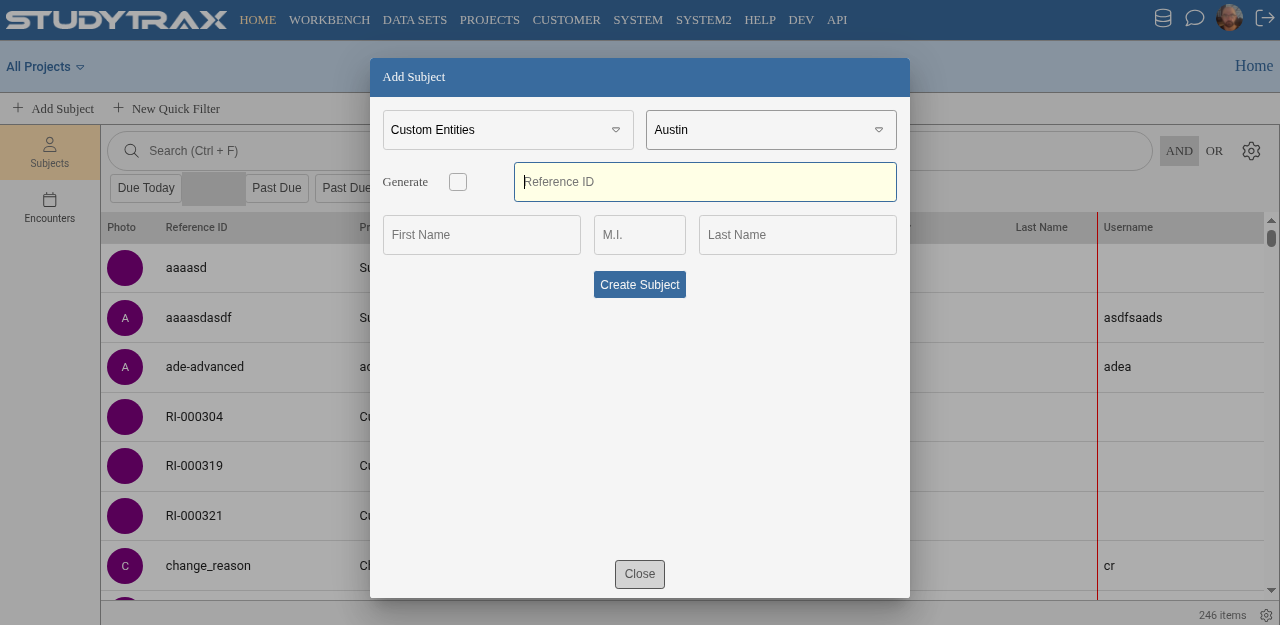
Reference ID becomes the primary identifier.
Subject accounts
Creating a subject portal account still requires:
- A name (placeholder text like a dash or dot is acceptable)
- An email address
If the project does not use participant portal access, no account is needed.
Email considerations
| Scenario | Recommendation |
|---|---|
| Portal or notifications used | Use a real, deliverable email |
| No portal or notifications | A placeholder email works, but blocks future notifications |
Fake or placeholder emails prevent the system from sending password resets, reminders, or other communications to that subject.
Home Name columns
The Name columns on the Home screen only appear under All Projects view. Within a single project, subjects display by Reference ID and other configured identifiers.
Photo upload
Photo upload requires the subject to have a portal account. Without an account, no photo can be uploaded.
Staff login as participant
Staff can use Login by Reference ID to view the participant portal as a specific subject. This helps verify what the participant sees without needing the participant's credentials.
Related
- Add a subject — standard subject enrollment
- Portal access — configure participant portal
- Subjects — manage subject records