
Add a subject
Enroll a new participant in a project.
Role required: Subject Management
Steps
- Sign in at https://my.studytrax.com.
- Select your project from the project selector on Home.
- Click Add Subject (confirm in app).
- Alternatively: Subject Overview → New Subject (confirm in app).
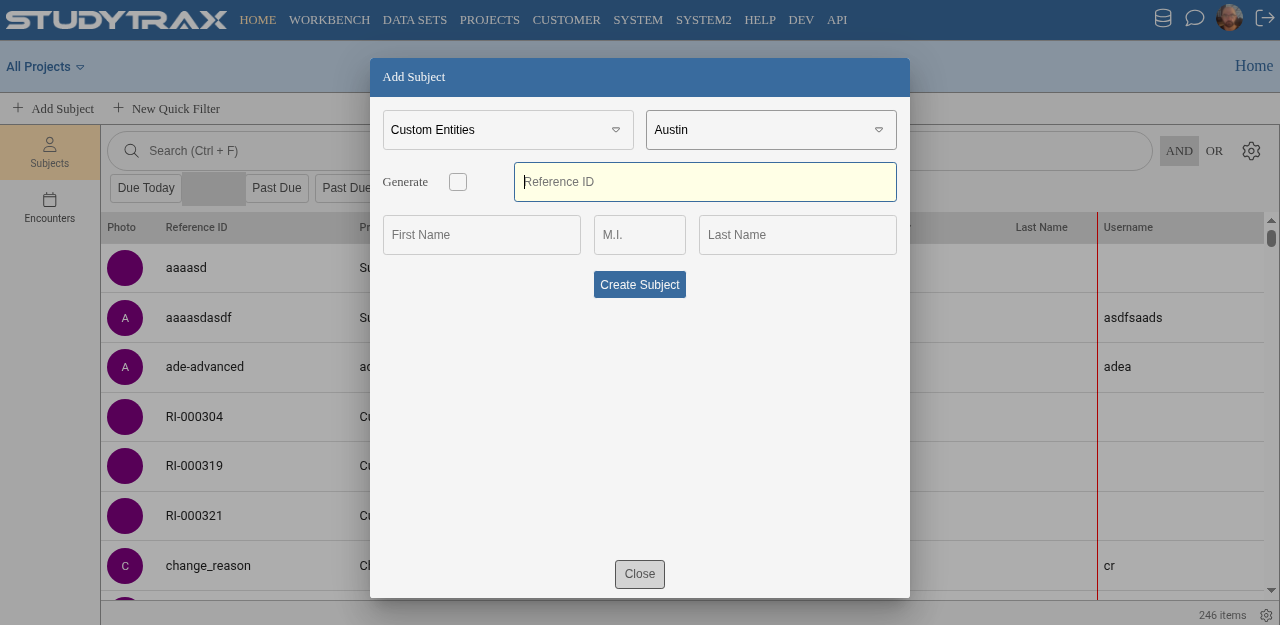
Required fields
- Reference ID — unique across all projects for this person. The form may show a Generate button if auto-generation is configured.
- Site — always required.
Optional fields (depending on project configuration)
- Name — first, middle, last may be optional or hidden.
- Project ID — if the project uses Project IDs, enter one here (unique within this project).
What happens next
After saving, the subject appears in the project. You can then create encounters and enter data.
Related
- Subjects — search, enter data
- Data model — Reference ID vs Project ID