
Subjects
Staff enter and manage subject data in Subject Management. Subjects (participants) can enter their own data in the participant portal if the study enables it—see Portal access.
Enroll a subject
You need Subject Management at the site.
- Sign in at https://my.studytrax.com.
- Open the project.
- Open Subjects or Subject Management (confirm label in app).
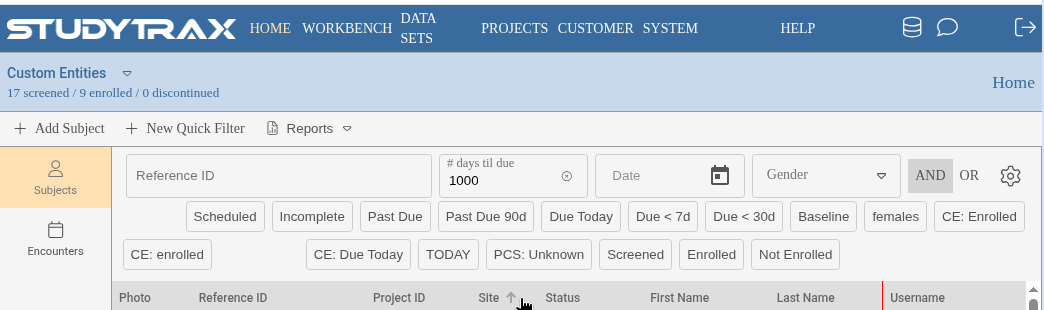
- Create or enroll a new subject (confirm in app).
- Enter the required identifiers and demographics.
Every subject gets a Reference ID (unique across all projects for that person). If the project uses Project ID, enter that too (unique within the project). See Data model for the difference.
Search for a subject
Search by Reference ID, Project ID, or name fields depending on what the project allows (confirm in app). What you can search by and what appears in exports can be configured separately.
Enter data
- Open the subject.
- Open the encounter (visit) or the form you need.
- Enter or edit values.
- Save.
Form fields are variables grouped into Variable Groups. See Data model.
Reference ID vs Project ID
| ID | Scope | Required |
|---|---|---|
| Reference ID | Same person across all projects (customer-wide) | Yes |
| Project ID | This project only | Optional per project; if on, every subject needs one |
See Data model for details.