
Home and calendar
The Home screen in the 2025 staff UI is your starting point for daily work.
Home layout
| Element | Purpose |
|---|---|
| Project selector | Switch between projects |
| Add Subject | Enroll a new participant |
| Quick Filter | Search subjects or encounters |
| Reports | Access project reports |
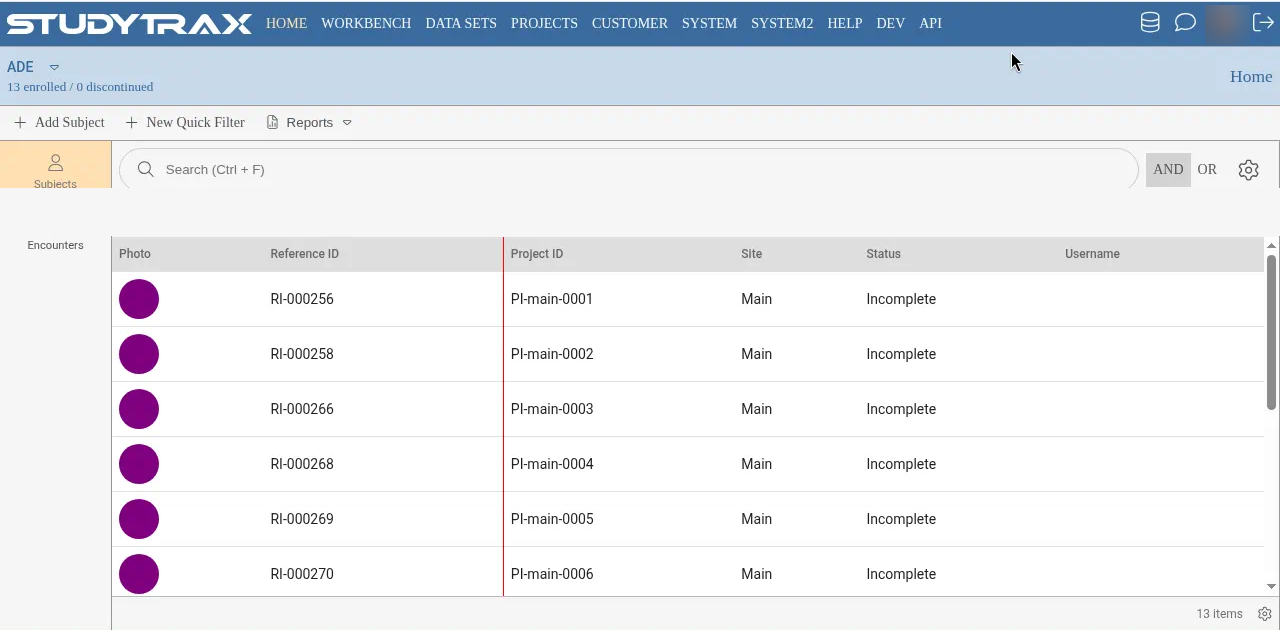
Tabs
Subjects tab
Lists subjects in the current project. Use filters to narrow results.
Encounters tab
Shows encounters in List or Calendar view.
- List view — table of encounters with status and dates
- Calendar view — visual calendar of scheduled and completed encounters
Working with encounters
From the Encounters tab:
- Click an encounter to open it.
- See Enter an encounter for creating and editing.