
Create a subject report template
Build a custom report that runs for individual subjects.
Role required: Project Management
Steps
- Sign in at https://my.studytrax.com.
- Open the project.
- Go to Projects → Report Templates (confirm in app).
- Click + to create a new template.
- Enter a Name.
- Configure the template:
- Available to subjects — whether subjects can view this report in the portal
- Add expressions, repeaters, and charts as needed (confirm options in app)
- Save.
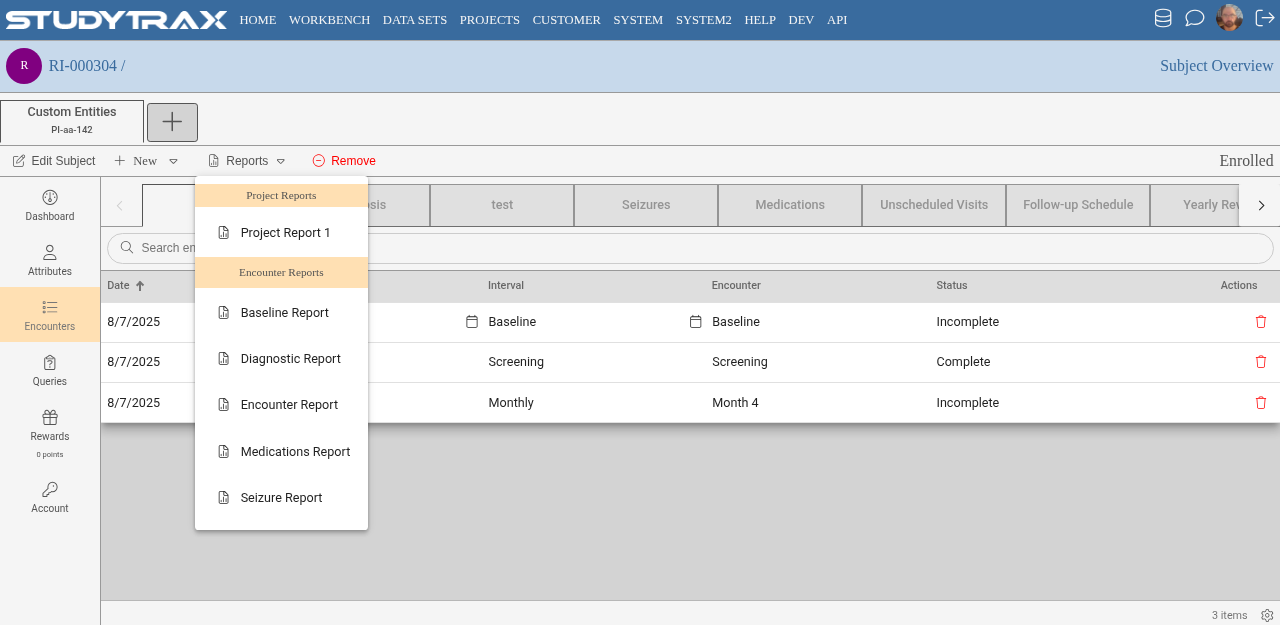
Where the report appears
Staff run subject report templates from Subject Overview → Reports (confirm in app).
If marked available to subjects, participants may also see it in the participant portal.
Related
- Run reports — project-level reports
- Workbench — aggregate reports, tables, charts