
Home, Search, and Tips
Reference for common patterns and settings on the Home screen.
This page covers Reference ID length, Home search filters, MFA lockout and reset, session timeout, TLFB patterns, VAS timepoints, and Tango rewards quick reference.
Reference ID
| Setting | Value |
|---|---|
| Typical length | ~36 characters |
| Maximum length | 80 characters |
Home search
Search from the Home screen finds subjects by:
- Reference ID
- Date of birth (if collected in the project)
- Partial site name
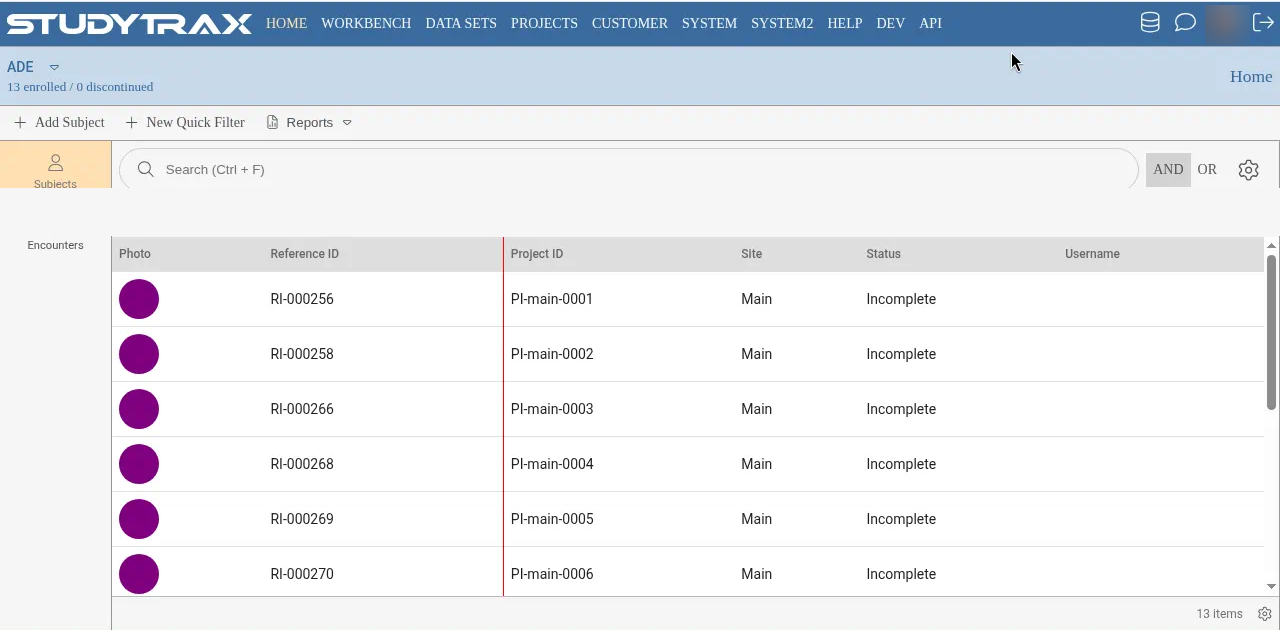
Items per page
Click the gear icon on the Home screen to set items per page.
| Option | Range |
|---|---|
| Items per page | 20–50 |
Enrollment date
The Enrollment Date auto-populates when a subject is added to a project.
- Enrollment date may differ from consent date.
- Consent date is a variable you enter; enrollment date is system-generated.
Multi-factor authentication lockout
If a user is locked out of MFA or cannot log in due to authenticator issues:
- An admin goes to the user's account.
- Click Reset multi-factor authentication to unlock the account.
- The user can re-enroll on next login.
There are no automatic login links sent via email for MFA reset. To lock or unlock an account, use the user management screen.
Session timeout
Sessions time out after a period of inactivity. This timeout is not adjustable per request.
Tip for large imports: Split large imports into smaller batches to avoid session timeout during upload.
TLFB (Timeline Followback)
For Timeline Followback data collection:
- Each additional TLFB period is typically a separate encounter (often non-fixed).
- The "set blank days to No/0" option fills unanswered days with a default value.
VAS (Visual Analog Scale)
For Visual Analog Scale collection:
- Each timepoint is typically its own encounter.
- Use Forms to Complete to show which forms are pending.
- Copy scales across encounters using dependencies.
- Hidden export variables can capture values without display.
Portal configuration
The participant portal can be enabled with zero subject-entered forms.
- Portal on + no forms = participants can view information but not enter data.
- Add forms to enable participant data entry.
Performance tip: If a form with extensive skip logic is slow, consider splitting it into multiple smaller forms.
Tango Rewards quick reference
| Item | Notes |
|---|---|
| Environments | Test (sandbox) then production |
| Required credentials | API key, platform ID, group ID, account ID |
| Catalog | StudyTRAX catalog mirrors vendor catalog |
| Balance | Low balance blocks reward redemption |
| Points display | Points are not a native Overview field—use a data set |
See Tango rewards for full setup.
Related
- Home and calendar — Home screen layout
- Quick filters — filter subjects and encounters
- Import subject data — bulk data import
- Tango rewards — rewards integration