
Notifications
Configure email notifications for project events.
Role required: Project Management
This page covers email alerts, site-scoped recipients, and how creating an encounter stops due notifications.
Where to configure
Go to Project Overview → Notifications to manage notification settings.
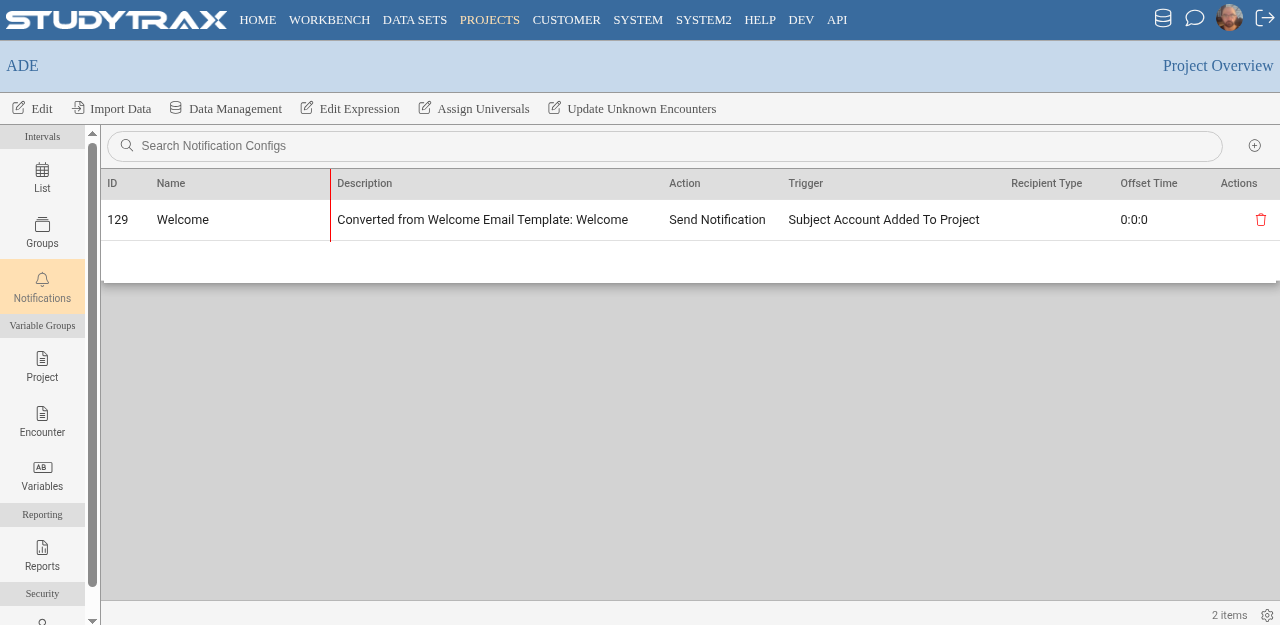
Site-scoped recipients
Notification recipients are configured per site.
- Each site can have different recipients for the same notification type.
- Add or change recipients at any time, including after go-live.
Due date notifications
Due notifications alert recipients when encounters are approaching or past due.
| Behavior | Details |
|---|---|
| Notification sent | Based on due date offset configuration |
| Notification stops | When the encounter exists (even if empty) |
Creating an encounter tells the system the visit occurred. Once created, due notifications stop for that encounter.
Adding notifications after go-live
Notifications can be added or modified after the project is live:
- New notification types can be enabled.
- Recipients can be added to existing notifications.
- Changes take effect for future events.
Common notification types
Projects typically configure notifications for:
- Upcoming encounters (due soon)
- Past-due encounters
- Query activity (see Queries)
The exact notification options depend on project configuration.
Related
- Due dates — how due dates work
- Queries — query notifications
- Add a site — site configuration