
Add a variable
Create a field (question) in a variable group.
Role required: Project Management
Steps
- Sign in at https://my.studytrax.com.
- Open the project.
- Go to Projects → Variable Groups (confirm in app).
- Open the variable group.
- Go to the Variables tab.
- Click + to add a variable.
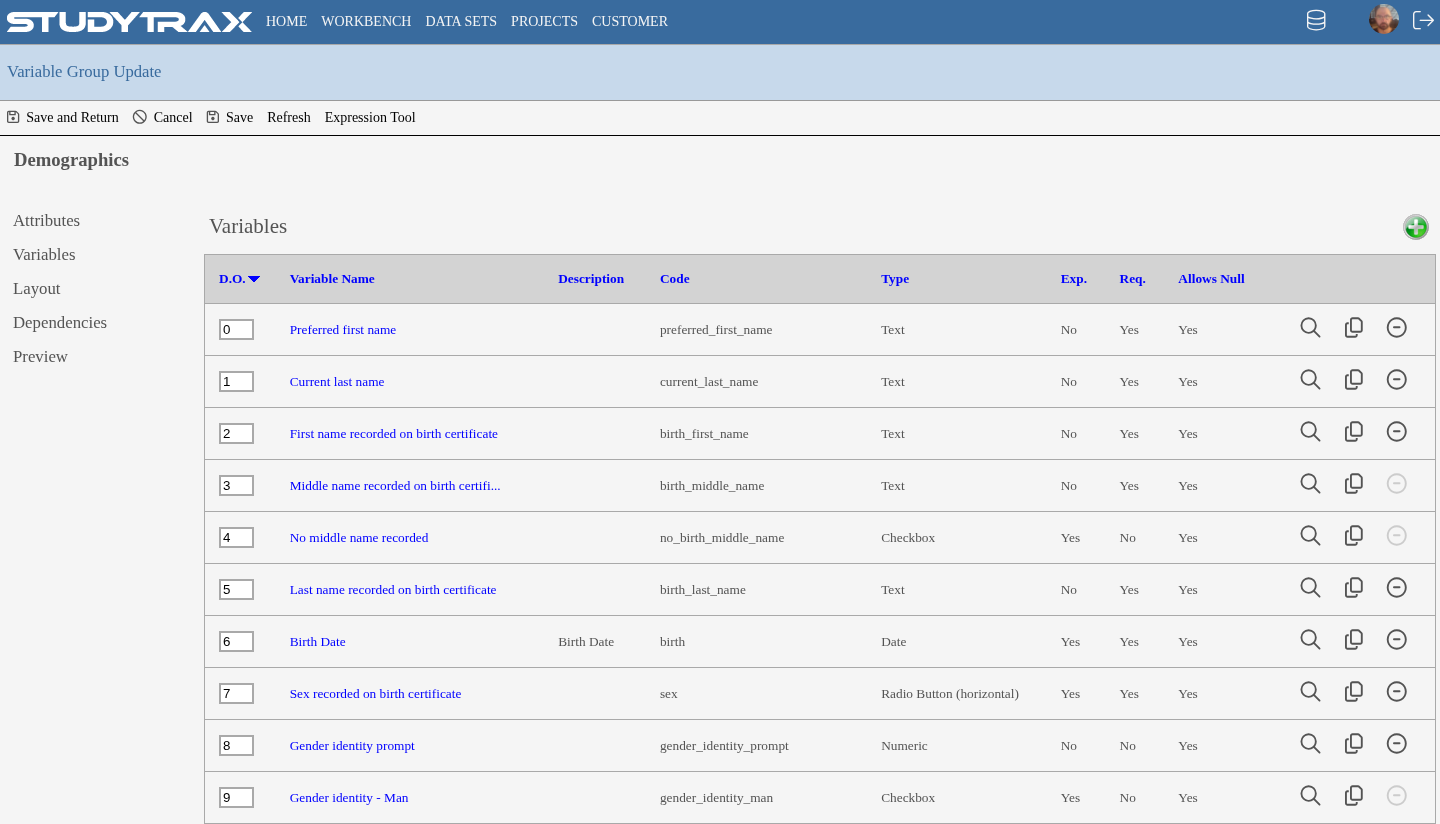
Fields
- Name — display label for the field.
- Code — unique identifier within the project. Used in exports and calculations.
Data types
| Type | Description |
|---|---|
| Checkbox | Multiple selections |
| Date | Date picker |
| Document | File upload |
| Memo | Multi-line text |
| Numeric | Number with optional min/max |
| Numeric Calculation | Computed from other numeric fields |
| Pick List | Dropdown selection |
| Radio H | Horizontal radio buttons |
| Radio V | Vertical radio buttons |
| Text | Single-line text |
Required setting
- No — field is optional
- Yes, can be null — required but allows blank
- Yes, cannot be null — required, must have a value
Changing a variable
- You cannot change a variable's data type. Create a new variable instead.
- You cannot make a definition more restrictive. Changes must keep existing data valid.
Related
- Create a variable group
- Data model — variables and variable groups